Monitor Off Hot Key
Monitor Off by pressing Hot Key or Shortcut Key anytime, save energy, lock computer, get maximum security, and much more.Press Configurable System Wide Hot Key to Switch Monitor Off.
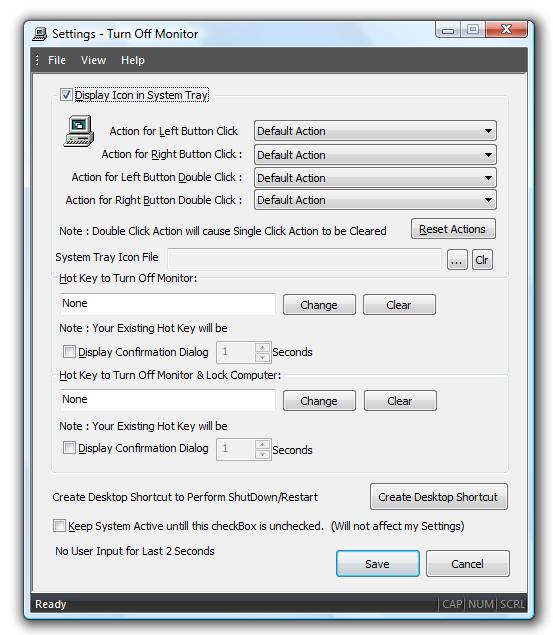
Settings to Control Monitor Off and more
Download Free Trial and Switch Monitor Off with Hot Key.
How to Monitor Off by pressing System Wide Hot Key
- Download and Launch the Utility.
- By Default the Utility displays an icon in System Tray.
- Right Click on the System Tray Icon and click on Turn Off Monitor Settings.
- The above action will display a dialog box to enable/disable this feature.
- Press the required System Wide Hot Key in the box below label Hot Key To Turn Off Monitor.
- Click on Save button to close the dialog box and save the changes.
- Once this feature is enabled, whenever you press the above defined System Wide Hot Key, Monitor will be switched off by the utility.
Visit Monitor Off Home for features list and more screenshots of the software offered here.