Change Default ScreenSaver and Preview Default ScreenSaver
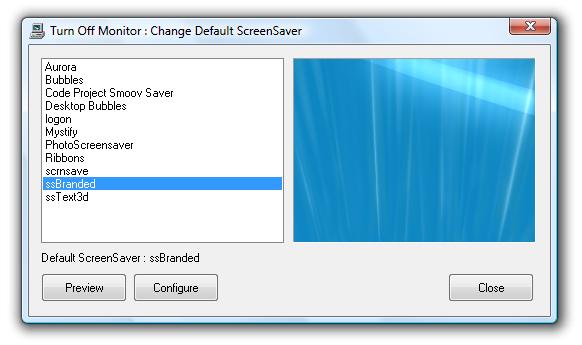
Given below steps outline the procedure to change and preview default screensaver easily. Changing Screensaver is as easy as selecting an appropriate Screensaver.
- Download and Launch the Installer.
- Finish the Installation and launch the application.
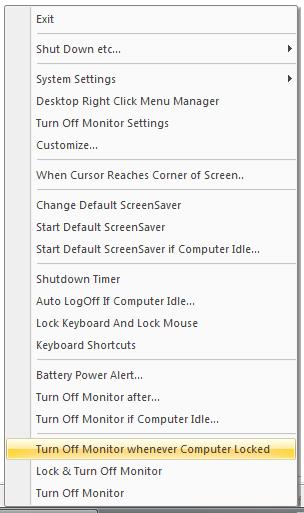
- Right click on System Tray Icon to display System Tray Menu and select Change Default ScreenSaver.
- The above action will display a Dialog Box in which you can preview the default ScreenSaver and you can change the default ScreenSaver.
- To change the default Screensaver just click on the name of the new ScreenSaver.
- You can close the dialog box by clicking on Close button on the dialog box.
Tray Menu to Change ScreenSaver
Visit Monitor Off for more features offered by the software utility.